


PER27 Digital Watch Face
4.2150.00 Reviews
App Specs
- Version
- Varies with Device
- Updated On
- License
- $2.99
- Downloads
- 10,000+
- Developer
- PERSONA Watch Face
- Categories
- Personalization
- Platform
- Android
Screenshots
 Analysis by AppCompare
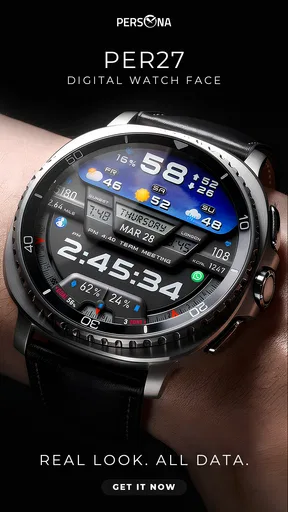
I tend to judge a watch face by what happens during an ordinary day: can I read it quickly, does it show the information I actually use, and does it still feel comfortable to look at after hours on my wrist? PER27 Digital Watch Face is a paid personalization app from PERSONA Watch Face for Wear OS, priced at $2.99. Its appeal is a digital layout that aims to make useful details easy to scan without turning the display into a crowded dashboard.
First Impressions and Design
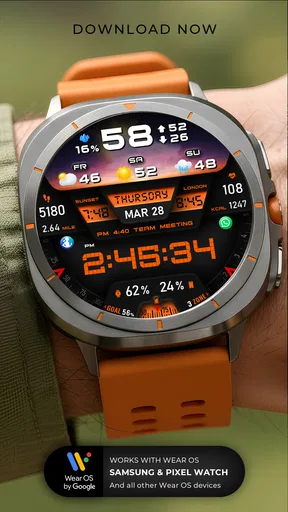
So, let's dive into the first impressions. When I first installed the PER27 Digital Watch Face, I was immediately struck by its minimalistic yet sophisticated design. It’s like the app knew exactly what I wanted before I did. The watch face is clean, uncluttered, and boasts a digital aesthetic that feels both modern and timeless.
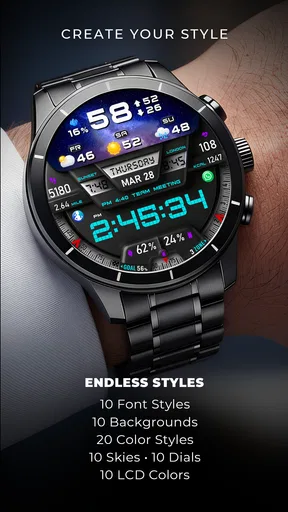
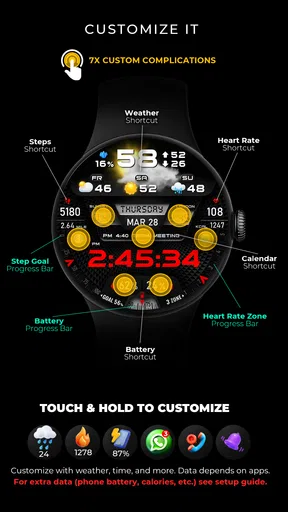
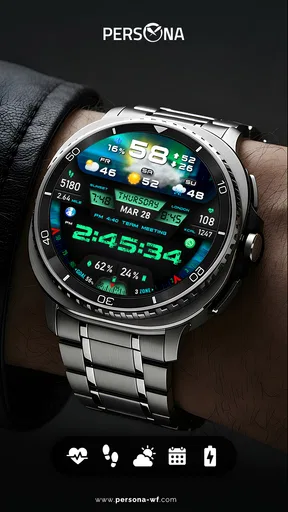
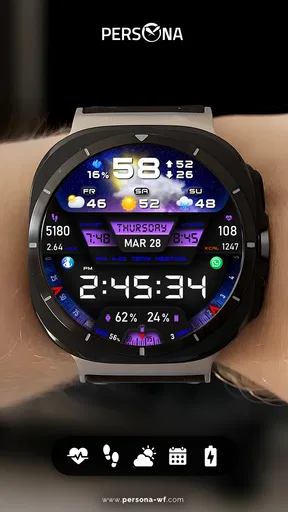
The customization options are where this app really shines. You can tweak colors, fonts, and even the layout to suit your personal style. It’s like having your own little design studio right on your wrist. The app offers a variety of color palettes that can match any outfit, mood, or occasion. Whether you’re at a formal event or just chilling at home, there’s a look for you.
Making the Face Work for Your Day
My practical advice is to start with readability, not decoration. Choose a combination that makes the time stand out at a glance, then adjust the supporting details around it. A bright, expressive palette can look great in a preview but may be harder to read in bright daylight or distracting in a dark room. I’d treat the first setup as a quick experiment: wear it through a normal morning, notice what you actually look at, and simplify anything you keep ignoring.
That small check matters because the watch face is something you consult in brief moments, not sit and study. If you mostly need the time while walking between meetings, prioritizing contrast is more useful than trying to show every available detail. If your day is less rushed and you enjoy a coordinated look, a more colorful treatment makes sense. The value of customization is not simply having choices; it is being able to make the screen suit the conditions in which you use it.
Functionality and Features
Now, onto the nitty-gritty: functionality. The app doesn’t just look good; it performs exceptionally well too. It displays time, date, and battery life with precision, and the animations are buttery smooth. You know that satisfying feeling you get when everything just works? That’s what this app delivers.
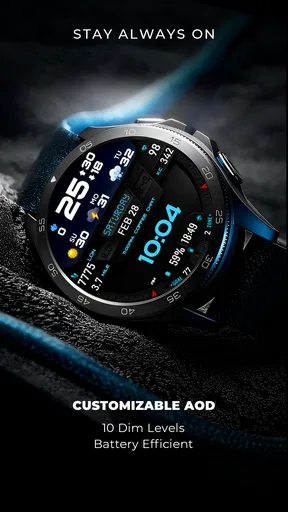
One of the standout features is its battery efficiency. I’ve tried other watch faces that drain my battery faster than a kid with a new toy, but not this one. The PER27 Digital Watch Face keeps things running smoothly without guzzling power, which is a huge plus for someone like me who hates charging constantly.
Worth Reading Before You Choose

Flipboard Shows What News Apps Must Do Beyond the Feed

Switching to Android Auto Means Rethinking Your Driving Routine

Google Calendar Makes a Crowded Week Easier to Manage

Ludo King Makes the Most of the Minutes Between Plans

Baby Panda World Brings Quick Play to Modern Phones, but Its Game Library Feels Busy

ESPN’s Live Game View Makes Following Close Games Easier
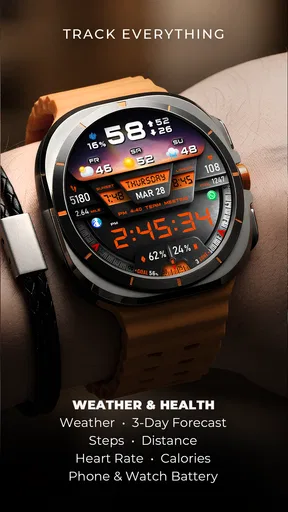
Oh, and if you’re a fitness enthusiast, you’ll love the built-in step counter and heart rate monitor widgets. They’re easy to access and provide real-time data, making it a breeze to keep track of your health goals.
A Realistic Morning-to-Evening Routine
Picture a weekday morning: I’m getting ready, checking the time as I head out, and glancing at the watch again before a walk. The date and battery indicator help answer two quick questions without opening another screen: what day is it, and should I be thinking about charging later? The step and heart-rate widgets can make the face more useful during activity, but I’d still open a dedicated health app when I want a fuller picture rather than treating a glanceable watch display as a detailed report.
That distinction is important. A watch face is best at putting a small amount of information within easy reach; it is not a replacement for a fitness history, a phone notification, or a careful check of a measurement. I would use the widgets as prompts and quick references, then hand off to the relevant app when I need context. This keeps the face from becoming a miniature control panel that I have to interpret while moving.
There is also a useful trade-off between visual simplicity and information density. PER27 is described as data-rich, but the face still needs to remain legible at wrist distance. I’d avoid trying to make every visible element compete for attention. Decide which detail earns the most space in your routine, and let the time remain the first thing your eyes find. That is a more reliable setup than choosing a layout only because it looks impressive in a still image.
Ease of Use
Let’s talk about user experience. Installing and setting up the watch face is as easy as pie. The interface is intuitive, with clear instructions that guide you through the process. Even if you’re not tech-savvy, you won’t have any trouble getting everything set up just the way you like it.
Navigation is a breeze, with simple swipes and taps that make accessing different features a cinch. The app responds quickly to touch, and I didn’t experience any lags or glitches during my time with it. It’s designed to be user-friendly, and it definitely delivers on that front.
Where It Fits Among Watch-Face Choices
Compared with a basic built-in digital face, this is the choice I’d consider when I want a more personal look and a combination of time and glanceable data. A built-in face can be the better option if I want the simplest possible setup or prefer to avoid paying for another customization app. At the other end, a highly decorative face may suit someone who cares more about elaborate visuals than quick reading. PER27 sits closer to the practical side: its clean digital presentation is the reason to choose it, while its personalization options let it feel less generic.
It is especially suited to someone who checks a watch often but does not want to pull out a phone for every small question. The date and battery information are easy daily conveniences, while the fitness widgets can serve people who like a quick glance during a walk or workout. I would skip it if I rarely look at my watch face, strongly prefer an analog dial, or expect a watch face to provide deep health analysis. In those cases, a simpler default or a more specialized tool may fit better.
The purchase decision is straightforward but still worth considering: the app costs $2.99, so I’d choose it for a look and set of glanceable details I expect to use regularly, rather than buying it just to try a passing style. It has an average rating of 4.1 from around 660 ratings, with over 10,000 installs, which gives a prospective buyer some indication that other users have tried it without guaranteeing that every layout or device experience will match their own.
Compatibility and Performance
The PER27 Digital Watch Face is compatible with a wide range of devices, which is great news for those of us who like to switch things up now and then. Whether you’re using an Android or iOS device, you can count on the app to work seamlessly with your smartwatch.
Performance-wise, it’s rock solid. I’ve been using it for a couple of weeks now, and it hasn’t missed a beat. The updates roll out regularly, ensuring that any bugs are promptly squashed and new features are added to improve the overall experience.
Small Frictions Worth Considering
One practical point with any customizable face is that getting the look right may take a little trial and error. If you change colors or rearrange information simply because you can, you can end up with a face that looks less readable than the original. I’d make one change at a time and check it outdoors as well as indoors. That makes it easier to tell whether a choice genuinely improves your everyday glance or only looks attractive in the setup screen.
Also consider what you want the watch to do when you hand information off to the phone. A compact step or heart-rate display is convenient, but it does not remove the need to consult a fuller health app for trends or context. If your main reason for choosing a face is to monitor detailed activity, the watch face alone may feel limited. If your goal is to keep a few useful signals close while leaving the phone in your pocket, that limitation is much less significant.
The app is listed for everyone, and its digital style is approachable, but personal preference still matters more than the age label. Someone who values large, high-contrast time displays should judge the actual on-wrist legibility before settling on a decorative palette. Likewise, anyone who relies on a specific arrangement of information should take a moment to check that the chosen setup supports the way they move through a typical day.
Final Thoughts
In conclusion, the PER27 Digital Watch Face is a fantastic choice for anyone looking to elevate their smartwatch game. It’s stylish, functional, and highly customizable, offering everything you could want in a digital watch face app. Whether you’re a tech enthusiast or just someone who appreciates good design, this app is worth checking out.
If you’re ready to give your smartwatch a fresh new look, I’d highly recommend downloading the PER27 Digital Watch Face. You won’t be disappointed. It’s like giving your wrist a makeover, and who doesn’t love a good makeover?
My recommendation comes with one simple condition: choose it for the way you will actually use your watch, not just for the appeal of a new face. If a clean digital display, date and battery at a glance, and quick fitness widgets match your routine, the paid download has a clear purpose. If you want an analog look, the least complicated option, or in-depth health tracking directly on the face, I’d look elsewhere. For a Wear OS owner who wants daily information presented in a style they can adjust, PER27 is a considered, practical personalization pick.
Pros
- Highly customizable interface options.
- Battery-efficient with optimized performance.
- Clear and easy-to-read display.
- Includes weather and fitness tracking.
- Supports multiple time zones.
Cons
- Limited free features available.
- Occasional lag on older devices.
- Requires premium for full customization.
- Can drain battery on high settings.
- In-app ads can be intrusive.
FAQs for PER27 Digital Watch Face
What features does the PER27 Digital Watch Face offer?
The PER27 Digital Watch Face offers a sleek and customizable interface with multiple display options. It includes features like weather updates, step tracking, heart rate monitoring, and customizable color themes. Users can also choose from different clock styles to suit their preferences, ensuring both functionality and aesthetics.
Is PER27 Digital Watch Face compatible with all smartwatches?
PER27 Digital Watch Face is compatible with most Android smartwatches running Wear OS. However, it’s always a good idea to check the compatibility with your specific device model on the app store page before downloading to ensure full functionality and a smooth user experience.
How can I customize the PER27 Digital Watch Face?
Customization is simple with the PER27 Digital Watch Face. Users can change colors, adjust the layout, and select the data displayed like steps, battery life, or weather. This can be done through the watch settings or companion app on your smartphone, allowing for a personalized experience.
Does the PER27 Digital Watch Face impact battery life?
While the PER27 Digital Watch Face is designed to be efficient, any watch face can slightly impact battery life depending on the data it displays and how often it updates. To minimize battery drain, users can adjust settings such as reducing screen brightness or limiting the frequency of data updates.
Is there a cost associated with the PER27 Digital Watch Face?
The PER27 Digital Watch Face is available for free with basic features. However, there may be in-app purchases for premium features or additional customization options. Users should check the app store for the latest pricing information and available upgrades to enhance their experience.


